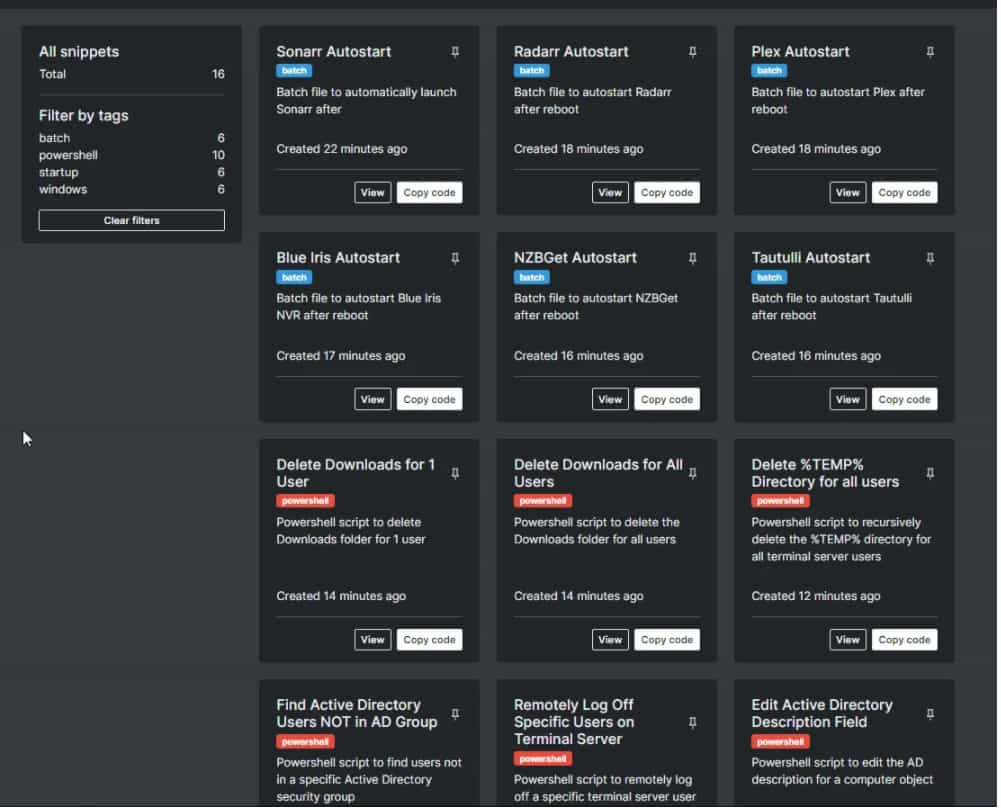
GitHub Gists are one of the simplest ways to store, share, and maintain code snippets without creating a full repository for every small idea or utility. Because every gist is actually a Git repository, you get version history, cloning, forking, and easy sharing in a lightweight format that works especially well for developers who collect reusable code over time.
Why Gists Work
A gist is ideal when you want to save something smaller than a full project, such as a shell command, a helper function, a config example, or a short troubleshooting note. GitHub supports both public and secret gists, so you can decide whether a snippet should be discoverable by others or kept unlisted for personal or team use.
Another reason gists work well is that they are searchable by language and easy to discover from your gist home page, especially when you stay consistent with naming and descriptions. Since gists also expose commit history and diffs, they are much better than dumping snippets into random text files that quickly go stale.
Create a Clear Structure
The biggest mistake developers make with gists is treating them like a junk drawer. To stay organized, create gists by topic rather than throwing unrelated snippets into one place, or use a topic-based “root gist” as a lightweight table of contents that links related snippet files and categories.
A practical structure looks like this:
- One gist for a narrow purpose, such as “bash aliases for deployment.”
- One multi-file gist for related assets, such as
Dockerfile,docker-compose.yml, and.env.example. - One index gist in Markdown that links your most important gists by area, like Python, DevOps, SQL, and frontend patterns.
This approach keeps your library browsable and prevents the common problem of storing five unrelated ideas in a single snippet that becomes impossible to scan later.
Use Multi-File Gists
Many developers never realize that a gist can include more than one file. This is one of the best features for organization because it lets you keep a working example together instead of scattering pieces across multiple entries.
For example, if you are saving a Node.js API sample, you can place server.js, package.json, .env.example, and README.md inside one gist. That makes the snippet more reusable because anyone, including future you, can understand how the pieces fit together without hunting for missing context.
Multi-file gists are especially useful for mini tutorials, config bundles, infrastructure examples, or paired code-and-documentation snippets. Treating a gist like a small repository makes it easier to preserve complete examples instead of isolated fragments that lose meaning over time.
Name and Describe Them Well
Good organization depends heavily on naming. A title like “snippet 2” or “useful script” tells you nothing six months later, but a description such as “PowerShell script to clean unused Azure resource groups” gives immediate context and helps the gist surface in GitHub search.
Use a simple naming formula:
- Action + technology + purpose.
- Examples: “Python script for CSV cleanup,” “SQL query for duplicate emails,” or “Bash command to rotate nginx logs.”
Descriptions should act like tiny README files. They should explain what the snippet does, when to use it, and any important setup details, because the description is often the first thing people see before opening the code.
Add Markdown Notes
One of the smartest ways to organize gists is to include Markdown files inside them. A README.md can document usage, dependencies, expected output, edge cases, and links to related docs.
This matters because a raw code snippet without explanation quickly becomes hard to reuse. A short Markdown note can answer the questions you are most likely to forget later:
- What problem does this solve?
- What inputs does it expect?
- What environment does it run in?
- What should be changed before production use?
You can also use Markdown to build a personal index of gists by topic, effectively turning GitHub Gists into a lightweight knowledge base for reusable code.
Group by Workflow
The easiest way to keep snippets useful is to organize them around real workflows rather than abstract ideas. Instead of broad buckets like “backend” or “frontend,” group snippets by recurring tasks such as authentication, deployment, parsing CSV files, Docker setup, Git recovery, or API testing.
A workflow-based structure reflects how developers actually search for code under pressure. You usually do not think, “I need a JavaScript snippet”; you think, “I need the fetch example with auth headers” or “I need the nginx reverse proxy config again.” Using that logic in gist titles and descriptions makes retrieval faster and more natural.
Use Git Features
Because every gist is a Git repository, you can clone it locally, inspect its history, and track changes over time. This is extremely useful for snippets that evolve, such as deployment scripts, config files, or utility functions you improve repeatedly.
A good habit is to clone your most-used gists onto your machine and maintain them like mini projects. That gives you:
- Full commit history with diffs.
- The ability to edit locally in your preferred editor.
- A backup outside the browser.
- A simple path to testing changes before updating the gist.
Forking is also helpful when you find a public gist that solves part of your problem but needs adaptation. Instead of copying and pasting blindly, fork it so the relationship to the source stays visible and you can track improvements separately.
Edit from VS Code
If you work mostly in VS Code, tools like GistPad make gist management much smoother by letting you create, edit, organize, and sort gists directly inside the editor. GistPad can sort gists by update time, classify them by type, and even support custom tags added to descriptions, which makes a growing snippet library much easier to browse.
This matters because convenience drives consistency. When saving a snippet is frictionless, you are more likely to capture useful code while you are already working, instead of promising yourself you will organize it later and never doing it. A VS Code-based workflow also keeps writing, editing, and publishing in one place.
Automate with the API
GitHub also exposes REST API endpoints for gists, allowing you to list, create, update, and delete them programmatically. This opens the door to building your own snippet workflows, such as syncing selected local files to gists, generating a gist index page automatically, or backing up all your snippets into another system.
For advanced users, automation can turn gists from a casual snippet tool into a structured developer asset library. For example, you could create a script that:
- Pulls all your gists.
- Groups them by language.
- Extracts descriptions and update dates.
- Publishes a searchable HTML or Markdown catalog.
That kind of automation becomes especially useful when you collect dozens or hundreds of snippets across several languages and projects.
Best Practices
A few habits make a major difference in long-term usability:
- Keep each gist focused on one problem or one related set of files.
- Use multi-file gists when context matters.
- Write descriptions that explain purpose and keywords clearly.
- Add a Markdown file for setup notes or examples.
- Review old gists and update stale snippets, because bad snippets are worse than no snippets.
- Use public gists for portfolio-quality examples and secret gists for internal references or drafts.
You should also pin your best gists to your GitHub profile if they represent work you want others to find easily. GitHub allows pinned gists, which makes them useful not only for personal organization but also for showcasing practical coding examples publicly.
Common Mistakes
The most common mistake is using gists as a dumping ground with no naming standard, no descriptions, and no documentation. That creates a messy archive rather than a functional snippet system.
Another mistake is storing only code and no context. A snippet without inputs, assumptions, or usage notes often becomes useless later, especially if it depends on a specific framework version, environment variable, or command sequence. Finally, avoid putting secrets into secret gists under the assumption that “secret” means secure; GitHub describes them as unlisted, not truly private in the strictest sense.
A Simple System
If you want a practical setup that works immediately, use this framework:
- Create one gist per use case or one multi-file gist per mini workflow.
- Start every gist description with the language and task.
- Add a
README.mdfor anything you may reuse. - Keep an index gist that links your top snippets by category.
- Review and rename weakly titled gists once a month.
That system is simple enough to maintain but structured enough to scale. Over time, your gists become more than saved fragments; they become a searchable library of proven solutions you can reuse in projects, blog posts, demos, and team discussions.
GitHub Gists work best when you stop thinking of them as throwaway paste bins and start treating them like tiny, versioned knowledge assets. Done well, they become one of the fastest and cleanest ways to organize code snippets without the overhead of full repositories.