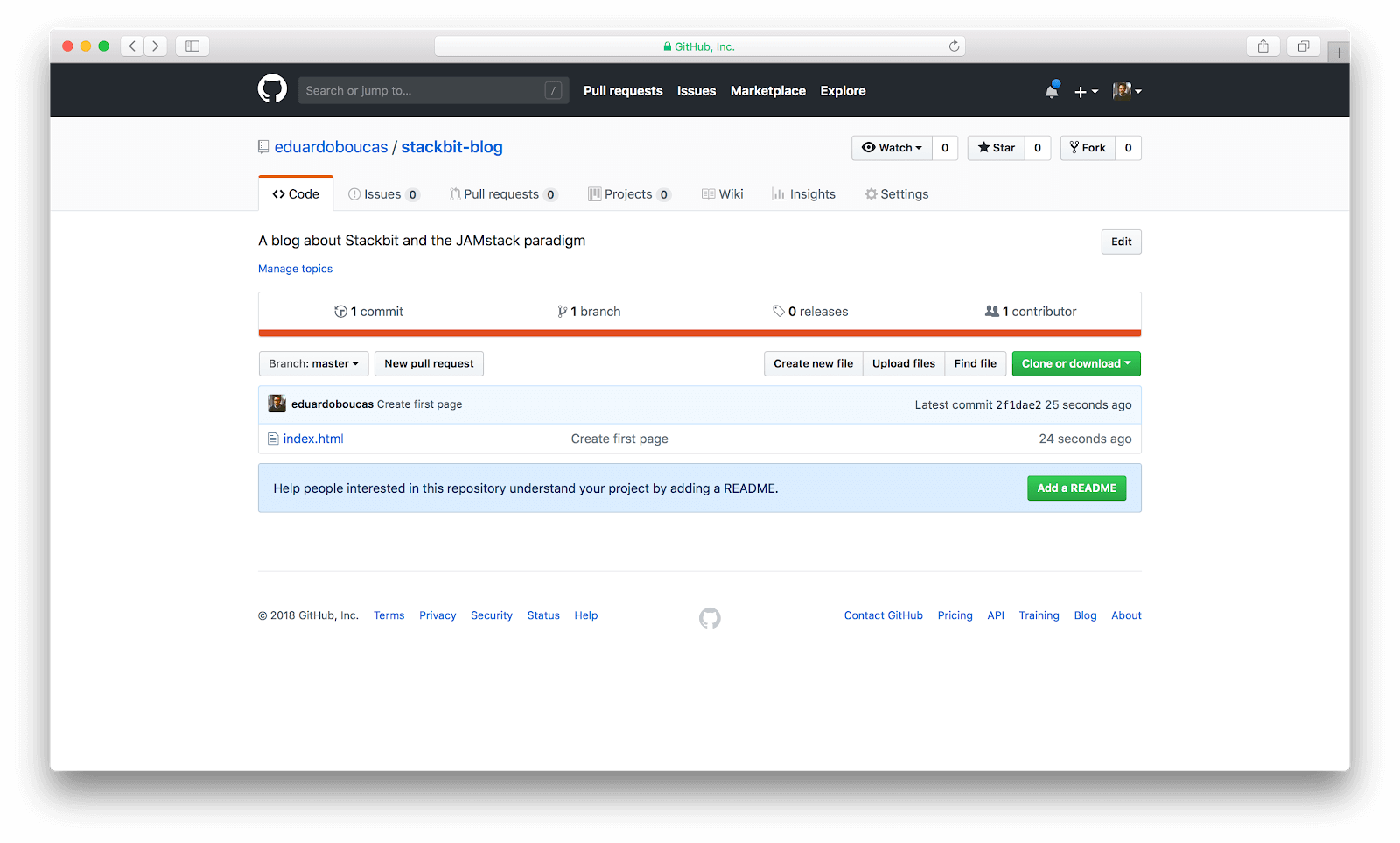
GitHub can work surprisingly well as a blogging platform for developers because it combines free hosting, version control, Markdown support, and a workflow that already fits how technical people write and publish. GitHub Pages is a static hosting service that publishes content from a repository, and GitHub Pages has built-in support for Markdown-based sites, often through Jekyll, which makes it possible to run a blog without traditional CMS infrastructure.
For developers, this setup has a clear advantage over many conventional blogging tools: the writing process feels like software development. You write posts in files, commit changes, review diffs, collaborate if needed, and publish from GitHub with very little hosting overhead.
Why GitHub Makes Sense
GitHub is not a general-purpose blogging platform in the way Medium, Substack, or WordPress are. Its strength is that it turns writing into a code-friendly workflow built around repositories, Markdown, and deployment automation, which is exactly what many developers prefer.
GitHub Pages is free static site hosting that takes HTML, CSS, and JavaScript files directly from a repository. GitHub also simplified Markdown publishing by rendering Markdown files for Pages without requiring YAML front matter for basic publishing, which lowered the barrier to creating simple blogs and documentation-style sites.
This makes GitHub especially attractive for developers who want:
- Full control over content and source files.
- A blog that lives in Git and can be versioned.
- A low-cost or free publishing workflow.
- Tight integration with code samples, documentation, and project links.
Use GitHub Pages
The core of blogging on GitHub is GitHub Pages. GitHub Pages can publish a personal site from a repository named username.github.io, or it can publish a project site from an existing repository, usually under a URL path based on that repository name.
For a personal developer blog, the most common route is the user site:
- Create a repository named exactly
yourusername.github.io. - Add your Markdown posts and site files.
- Enable GitHub Pages in the repository settings if needed.
- Push updates to publish changes.
This gives you a blog that is simple to host, easy to maintain, and naturally connected to the rest of your GitHub presence. It also supports custom domains, so you can publish under your own domain while still using GitHub for hosting.
Write Posts in Markdown
Markdown is one of the biggest reasons GitHub works well for developer blogging. It is fast, readable in raw form, and ideal for technical posts that include headings, code fences, lists, links, and inline code. GitHub Pages renders Markdown content directly, and Jekyll-based sites also treat Markdown as a first-class source format.
A practical blogging workflow usually looks like this:
- Draft a post as a
.mdor.markdownfile. - Add a title, date, and permalink if your setup uses front matter.
- Write the article in Markdown with fenced code blocks and links.
- Commit and push the file to GitHub.
This is especially convenient for technical writing because code examples remain easy to paste, review, and update. Rather than fighting a visual editor, you write in plain text and let GitHub Pages handle the rendering.
Use Jekyll for Blog Features
For a more complete blogging experience, many developers pair GitHub Pages with Jekyll. GitHub Pages is powered by Jekyll, and GitHub documents Jekyll as a static site generator with built-in support and a simplified build process for Pages-based sites.
Jekyll turns Markdown and HTML files into a full static website and adds features developers expect from a blog:
- A
_postsfolder for blog entries. - Layouts and templates for consistent post pages.
- A
_config.ymlfile for site-wide settings. - Theme support and plugin options within GitHub Pages limits.
A typical Jekyll blog structure includes directories such as _posts, _layouts, _includes, assets, and configuration files, which makes the blog feel like a maintainable project instead of a pile of standalone pages.
Keep It Developer-Friendly
GitHub-based blogging works best when you lean into its technical strengths instead of trying to imitate every feature of a traditional CMS. Posts about programming, tooling, DevOps, debugging, architecture, APIs, and lessons learned from projects fit especially well because GitHub naturally supports code-centric content and direct linking to repositories.
This also means your blog can connect tightly with your portfolio and open-source work. A post can reference the exact repository, release, gist, or commit it discusses, which creates a strong bridge between writing and implementation. That is much harder to do elegantly on many non-technical blogging platforms.
A good developer blog on GitHub usually includes:
- Clean Markdown formatting.
- Code examples stored directly in the repo.
- Links to related projects and docs.
- A minimal structure that stays easy to maintain.
Extend It with Actions
GitHub Actions can make a GitHub blog much more powerful. Some blog workflows use Actions to build and deploy Markdown posts automatically to GitHub Pages, and GitHub Marketplace also offers Actions specifically designed to create a blog from Markdown files and deploy it to Pages.
This opens useful possibilities for automation:
- Auto-build the site on every push.
- Pull content from a structured posts directory.
- Generate homepage listings from Markdown metadata.
- Sync external feeds or blog indexes into your GitHub profile README.
For developers, this is a major benefit because the blog becomes programmable. Instead of relying entirely on a platform UI, you can automate parts of your content workflow in the same way you automate builds or deployments.
Use Your Profile as a Blog Hub
Even if your full blog lives on GitHub Pages, your GitHub profile can act as a distribution layer. GitHub displays a profile README when you create a public repository with the same name as your username and place a README.md file at the root.
That profile README can be used to:
- Link to your latest posts.
- Highlight your blog URL.
- Surface recent articles through GitHub Actions and RSS-based automation.
- Turn your GitHub profile into a mini homepage for your writing and projects.
This is useful because many people will discover your blog through your developer profile first, especially if they encounter your repositories, comments, or contributions before they ever find your standalone site.
Main Advantages
Using GitHub as a blogging platform offers several meaningful advantages for developers:
- Free hosting through GitHub Pages.
- Native Git version control for every article.
- Markdown-first writing that fits technical content.
- Tight integration with code repositories and open-source work.
- Optional custom domains without needing separate application hosting.
It also encourages better writing discipline. Since posts are files in a repository, it becomes easier to organize drafts, review edits, maintain changelogs, and keep a clean archive of published work.
Main Limitations
GitHub is powerful for developer blogging, but it is not ideal for every writing use case. GitHub Pages is a static hosting solution, so features such as rich editorial workflows, advanced commenting systems, newsletters, and audience monetization usually require third-party services or extra setup.
There is also a learning curve if you use Jekyll or custom automation. While simple Markdown publishing can be very easy, a more polished developer blog may still require learning site structure, templates, configuration, and deployment details.
In other words, GitHub is a great blogging platform when you value control, portability, and code-centric publishing more than plug-and-play marketing features.
A Simple Setup
If you want a straightforward starting point, use this model:
- Create
yourusername.github.iofor your personal blog. - Choose a simple Jekyll theme or a minimal Markdown-first structure.
- Write posts in Markdown inside
_postsor another structured content folder. - Use GitHub Pages to publish automatically.
- Link your blog from your profile README.
This setup is enough for tutorials, technical essays, release notes, engineering journals, and project writeups. It also scales well because your blog remains just another repository you can maintain, refactor, and improve over time.
Best Content Types
Some kinds of writing are especially well suited to GitHub-based blogging:
- Programming tutorials with code blocks.
- Dev logs for side projects or open-source work.
- Technical documentation mixed with blog-style commentary.
- Notes on tools, frameworks, debugging, and architecture decisions.
This is why GitHub works so well for developers in particular. The platform naturally supports technical writing that sits close to code, and that closeness makes the blog more useful both to the writer and the reader.
GitHub is not the best blogging platform for every person, but it is one of the most practical ones for developers. If you want a blog that is free, versioned, Markdown-based, and deeply connected to your technical work, GitHub Pages and Markdown provide a clean, durable foundation.